---
title: Introduction
description: Agent Lookout shows the coding agent sessions on your machine on one page, with the ones waiting on you first.
url: https://agent-lookout.thally.app/
---
# Introduction
Agent Lookout shows the coding agent sessions on your machine on one page, with the ones waiting on you first.
When you run several coding agents at once, one of them often stops to ask you something while you are looking at another. Agent Lookout finds their sessions with no setup, shows them on one page, and puts the ones waiting on you first, for the agents that report a wait. Any other agent can show up too, by writing a small [status file](https://github.com/Olanetsoft/agent-lookout/blob/main/docs/GUIDE.md#your-own-agents).
 ## Get started
```bash
npx agent-lookout
```
Then open http://127.0.0.1:4777. You need Node.js 22.12 or newer, on macOS, Linux or Windows. On a Mac you can use the [Mac app](https://github.com/Olanetsoft/agent-lookout/releases/latest) instead, which needs macOS 13 or later and no Node.js. The [Quickstart](/quickstart) takes you from there to your sessions and, with Claude Code, your first jump.
## What you can do
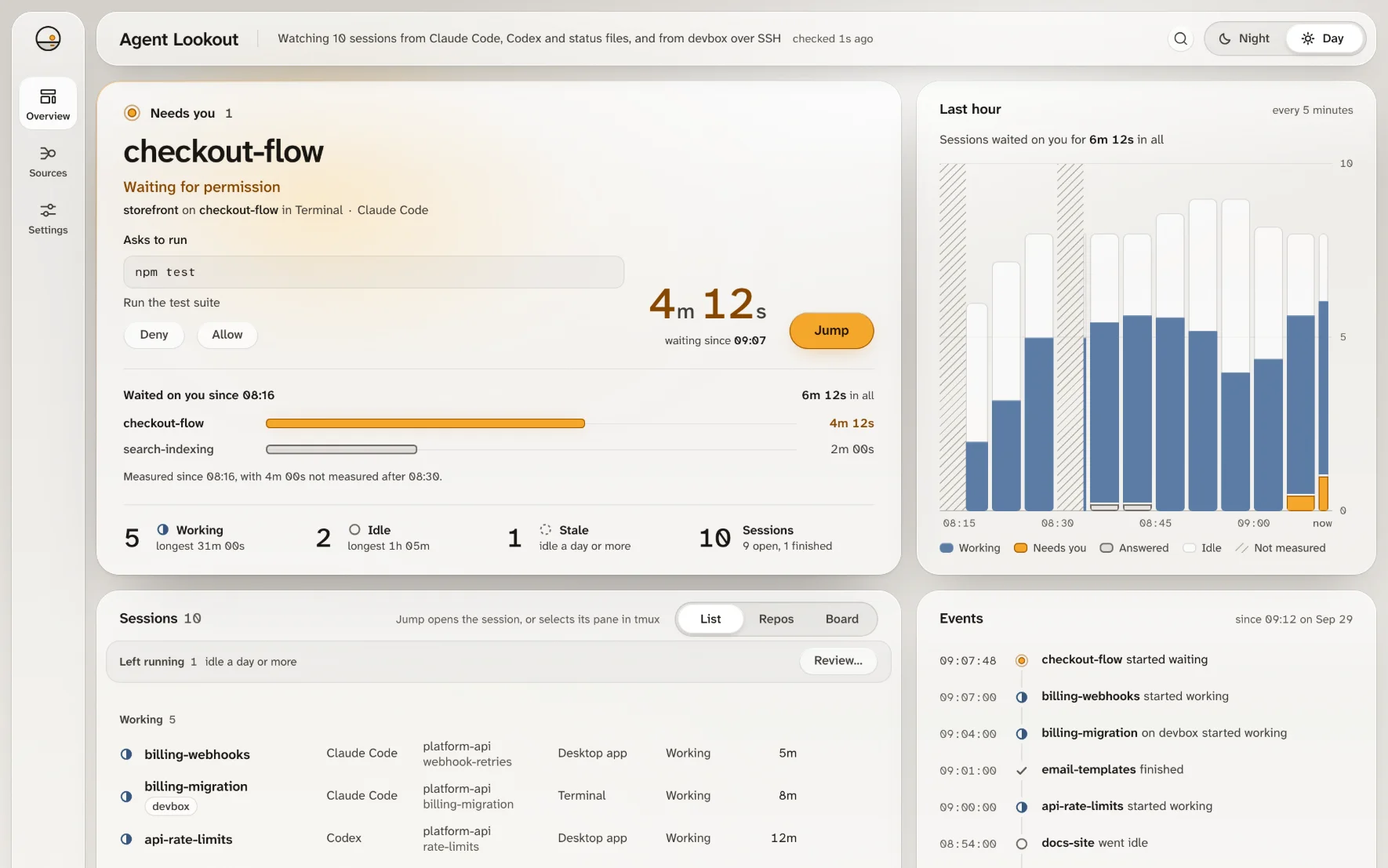
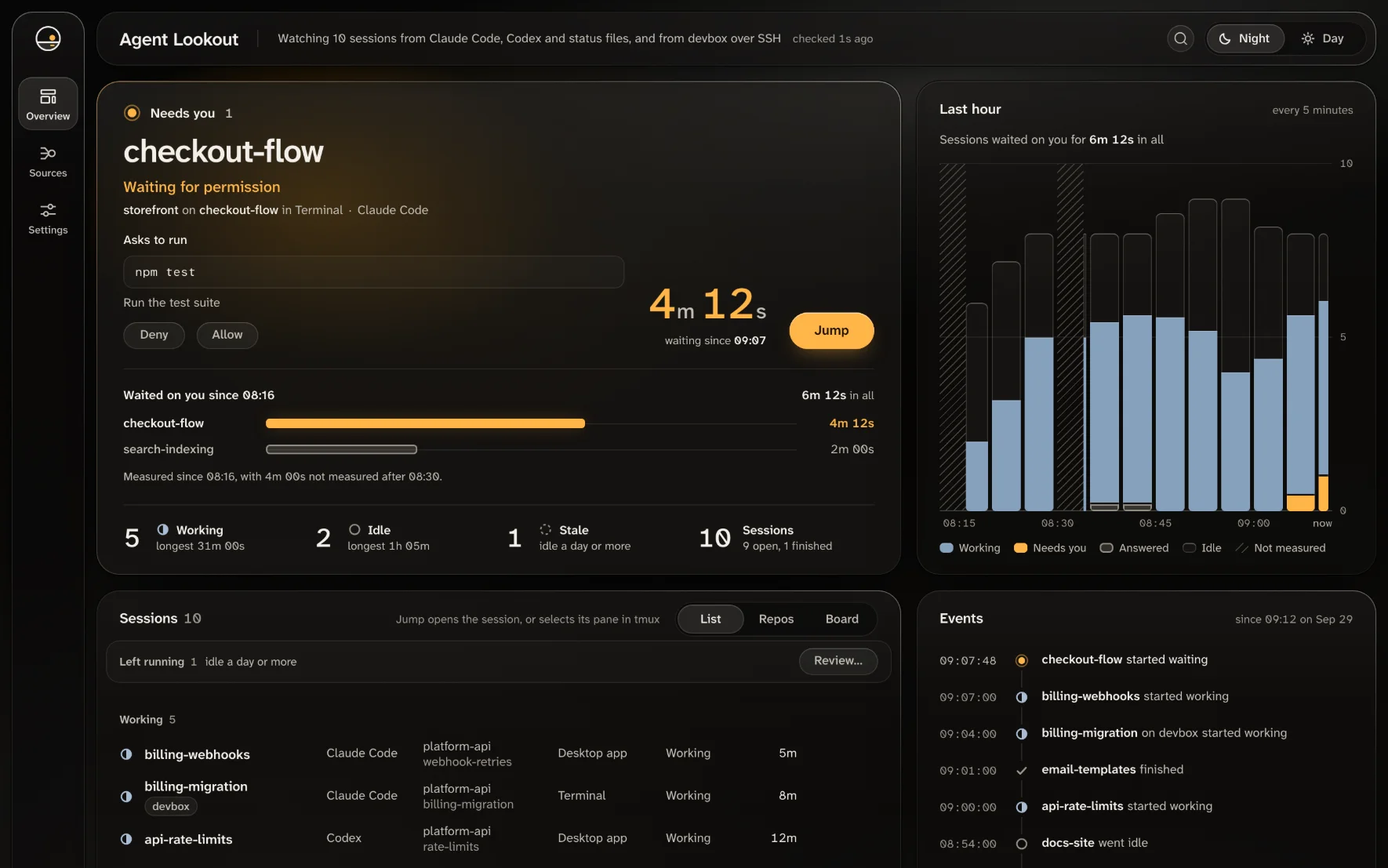
- **See every session on one page,** with each one's status, folder and branch.
- **See who needs you first.** The Needs you panel lists the sessions waiting for you, longest wait first, with the reason, such as Waiting for permission. For Claude Code it also shows what the session asks, such as `Run: npm test`.
- **Answer or jump to a Claude Code session.** With Agent Lookout's plugin, Allow and Deny answer its permission prompt from the page. Jump opens the session in VS Code, selects its tmux pane, or brings its Terminal or iTerm2 tab forward on a Mac.
- **Let your agents ask.** `agent-lookout mcp` is a read-only MCP server that an agent can ask which sessions are running and which need you. [For your agents](https://github.com/Olanetsoft/agent-lookout/blob/main/docs/GUIDE.md#for-your-agents) shows how to add it.
Some of this depends on your system: on Windows, Jump reaches VS Code only, and there is no Stop, Allow or Deny. [What works on each system](https://github.com/Olanetsoft/agent-lookout/blob/main/README.md#supported-agents-and-systems) has the full table.
## Supported agents
Every agent's sessions appear on the page with their status. What else each one shows:
| Agent | Shows when it needs you | Allow and Deny | Jump |
| --- | --- | --- | --- |
| Claude Code | Yes, with what it asks | With Agent Lookout's plugin | In VS Code, tmux, Terminal or iTerm2 |
| Antigravity and the Antigravity CLI | While it asks you to approve a step | No | No |
| Codex, Mistral Vibe, Gemini CLI, OpenCode and Qwen Code | No: a waiting session shows as working, or as idle in Gemini CLI | No | No |
| Any agent that writes a [status file](https://github.com/Olanetsoft/agent-lookout/blob/main/docs/GUIDE.md#your-own-agents) | When it writes that it waits | No | No |
On Windows, OpenCode's sessions are not read, and the Antigravity app never shows as needing you. On Linux, both need the `sqlite3` program.
Mistral Vibe, Gemini CLI, OpenCode and Qwen Code support was built from their source and has not yet been checked on a machine running them. If you use one, [open an issue](https://github.com/Olanetsoft/agent-lookout/issues) to say whether it works. [What each agent can report](https://github.com/Olanetsoft/agent-lookout/blob/main/docs/GUIDE.md#what-each-agent-can-report) has the details.
## Privacy
- It never starts a session, types into one or sends it a message of yours.
- It acts on a session only when you press Allow, Deny or Stop, or by a permission rule you set in Settings. Stop asks you to confirm. Allow, Deny and rules need its Claude Code plugin.
- It listens on this machine only, and by default sends nothing off it.
> **What can leave your machine:**
The Mac app checks GitHub for a new version about once a day, which Settings turns off, and installs its Claude Code plugin once. Claude Code's own `claude agents` command, which Agent Lookout runs, may contact Anthropic. Email, webhooks, phone pushes, pull requests and other machines stay off until you set them up. [PRIVACY.md](https://github.com/Olanetsoft/agent-lookout/blob/main/PRIVACY.md) lists everything it reads, runs and sends.
## Next steps
#### [Quickstart](/quickstart)
Start it with npx, see your sessions, and jump to a Claude Code session that waits for you.
#### [Jump to a session's window](/guides/jump-to-window)
Set up Jump for Claude Code sessions in VS Code, tmux, and Terminal or iTerm2 on a Mac, and fix it when it fails.
## Get help
Ask a question or report a problem in [GitHub issues](https://github.com/Olanetsoft/agent-lookout/issues). The [full guide](https://github.com/Olanetsoft/agent-lookout/blob/main/docs/GUIDE.md) covers every part of the dashboard.
## Get started
```bash
npx agent-lookout
```
Then open http://127.0.0.1:4777. You need Node.js 22.12 or newer, on macOS, Linux or Windows. On a Mac you can use the [Mac app](https://github.com/Olanetsoft/agent-lookout/releases/latest) instead, which needs macOS 13 or later and no Node.js. The [Quickstart](/quickstart) takes you from there to your sessions and, with Claude Code, your first jump.
## What you can do
- **See every session on one page,** with each one's status, folder and branch.
- **See who needs you first.** The Needs you panel lists the sessions waiting for you, longest wait first, with the reason, such as Waiting for permission. For Claude Code it also shows what the session asks, such as `Run: npm test`.
- **Answer or jump to a Claude Code session.** With Agent Lookout's plugin, Allow and Deny answer its permission prompt from the page. Jump opens the session in VS Code, selects its tmux pane, or brings its Terminal or iTerm2 tab forward on a Mac.
- **Let your agents ask.** `agent-lookout mcp` is a read-only MCP server that an agent can ask which sessions are running and which need you. [For your agents](https://github.com/Olanetsoft/agent-lookout/blob/main/docs/GUIDE.md#for-your-agents) shows how to add it.
Some of this depends on your system: on Windows, Jump reaches VS Code only, and there is no Stop, Allow or Deny. [What works on each system](https://github.com/Olanetsoft/agent-lookout/blob/main/README.md#supported-agents-and-systems) has the full table.
## Supported agents
Every agent's sessions appear on the page with their status. What else each one shows:
| Agent | Shows when it needs you | Allow and Deny | Jump |
| --- | --- | --- | --- |
| Claude Code | Yes, with what it asks | With Agent Lookout's plugin | In VS Code, tmux, Terminal or iTerm2 |
| Antigravity and the Antigravity CLI | While it asks you to approve a step | No | No |
| Codex, Mistral Vibe, Gemini CLI, OpenCode and Qwen Code | No: a waiting session shows as working, or as idle in Gemini CLI | No | No |
| Any agent that writes a [status file](https://github.com/Olanetsoft/agent-lookout/blob/main/docs/GUIDE.md#your-own-agents) | When it writes that it waits | No | No |
On Windows, OpenCode's sessions are not read, and the Antigravity app never shows as needing you. On Linux, both need the `sqlite3` program.
Mistral Vibe, Gemini CLI, OpenCode and Qwen Code support was built from their source and has not yet been checked on a machine running them. If you use one, [open an issue](https://github.com/Olanetsoft/agent-lookout/issues) to say whether it works. [What each agent can report](https://github.com/Olanetsoft/agent-lookout/blob/main/docs/GUIDE.md#what-each-agent-can-report) has the details.
## Privacy
- It never starts a session, types into one or sends it a message of yours.
- It acts on a session only when you press Allow, Deny or Stop, or by a permission rule you set in Settings. Stop asks you to confirm. Allow, Deny and rules need its Claude Code plugin.
- It listens on this machine only, and by default sends nothing off it.
> **What can leave your machine:**
The Mac app checks GitHub for a new version about once a day, which Settings turns off, and installs its Claude Code plugin once. Claude Code's own `claude agents` command, which Agent Lookout runs, may contact Anthropic. Email, webhooks, phone pushes, pull requests and other machines stay off until you set them up. [PRIVACY.md](https://github.com/Olanetsoft/agent-lookout/blob/main/PRIVACY.md) lists everything it reads, runs and sends.
## Next steps
#### [Quickstart](/quickstart)
Start it with npx, see your sessions, and jump to a Claude Code session that waits for you.
#### [Jump to a session's window](/guides/jump-to-window)
Set up Jump for Claude Code sessions in VS Code, tmux, and Terminal or iTerm2 on a Mac, and fix it when it fails.
## Get help
Ask a question or report a problem in [GitHub issues](https://github.com/Olanetsoft/agent-lookout/issues). The [full guide](https://github.com/Olanetsoft/agent-lookout/blob/main/docs/GUIDE.md) covers every part of the dashboard.